Bean Spotted
October 2024 - Present
Background
As a coffee lover, I find a lot of joy in visiting local coffee shops where I live and while traveling, whether I’m catching up with friends, working, or just stopping in for a quick coffee. However, it can be difficult to find coffee shops that meet my needs on a given day without first visiting the shop. Bean Spotted is an iOS app that allows coffee lovers to quickly find shops based on their specific needs, save their favorite shops, and share reviews with friends so that they can spend more time in coffee shops and less time searching.
Skills: iOS App Development / Cloud Integration / UX Design / UI Design
Tools: XCode / Swift / SwiftUI / Firebase
Design
STEP 1: Brainstorm
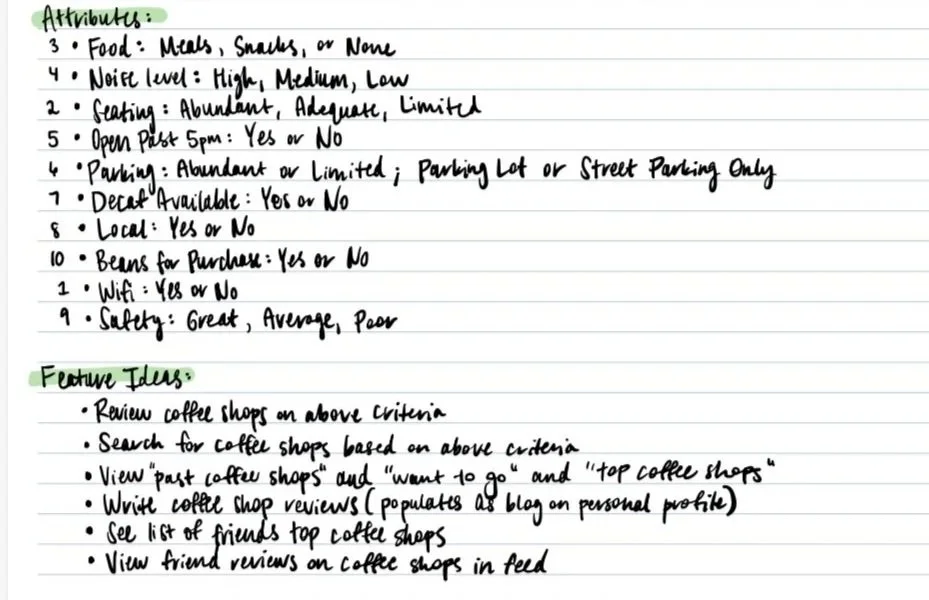
I began by brainstorming the coffee shop attributes that matter most to me when deciding where to go and what features I’d appreciate most on an app. If I’m going to a coffee shop around lunch time, having nice food options is especially important, while if I’m going to work, I typically prefer a quieter atmosphere. Of course, something that almost never changes is my desire to have good coffee or espresso :)
STEP 3: Wireframes
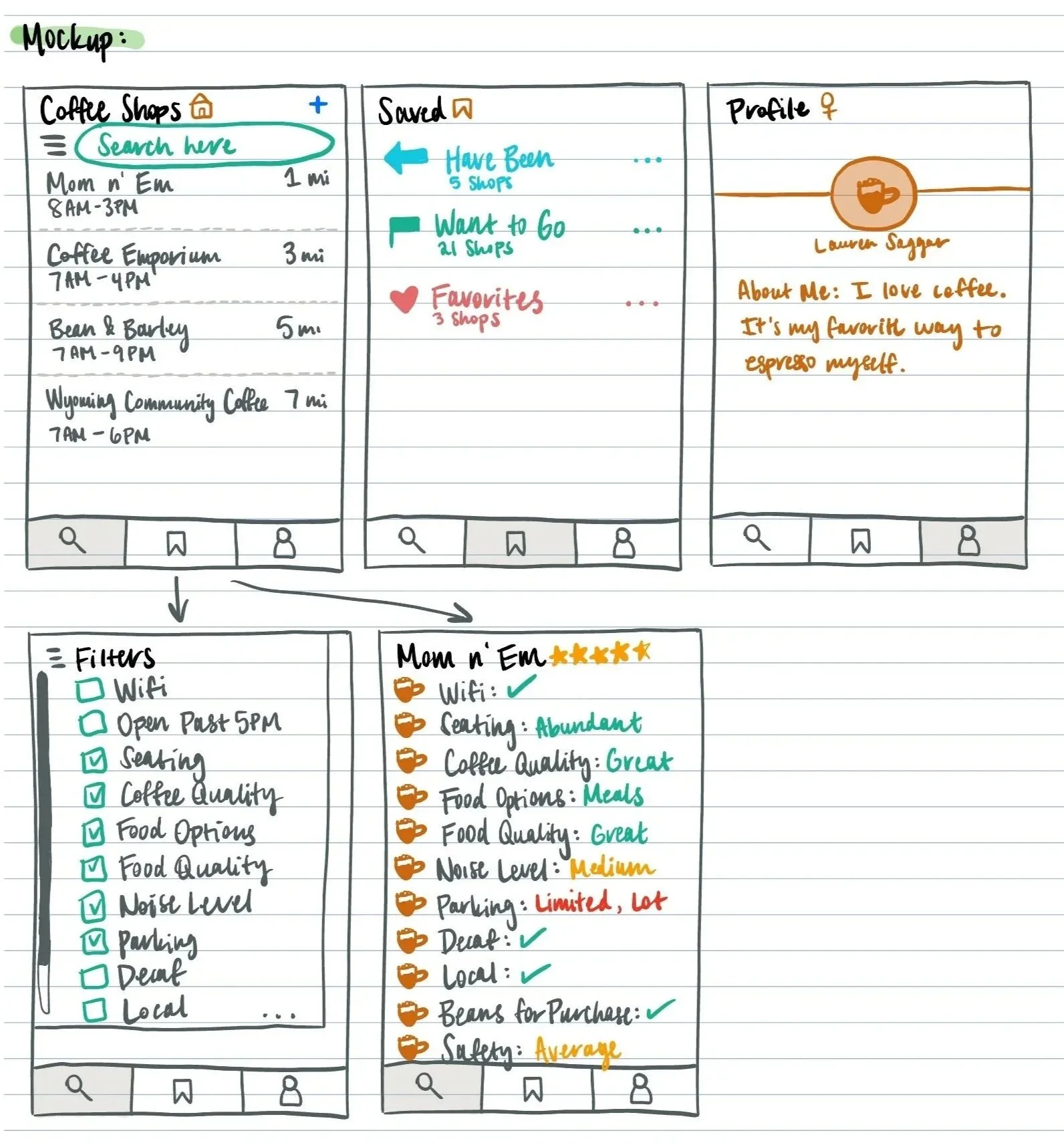
Finally, I designed the wireframes with three core sections and critical supporting views:
Coffee Shops: This is the home view for users to search for, sort, and filter coffee shops based on their needs. The detail page of each shop shows ratings by attribute (wifi, food, etc.).
Saved: The documentation view for users to record their favorite shops, those they’ve been to, and those they want to go to
Profile: For users to customize their bios and manage profile settings
Development
My development process started with building out the data model in SwiftData. This ensured I was able to add real model variables to my UI screens and easily test saves to my model with the app simulator. Next, I built out the UI screens. Some of my greatest technical learnings were 1) cleanly implementing filter and sort functionality, 2) generating a bottom tab navigation view, 3) developing clear view navigation with NavigationStack, and 4) connecting to the MapKit API for real coffee shop searching and selection. I also made to sure to use reusable view components to speed up UI development and ensure visual consistency.
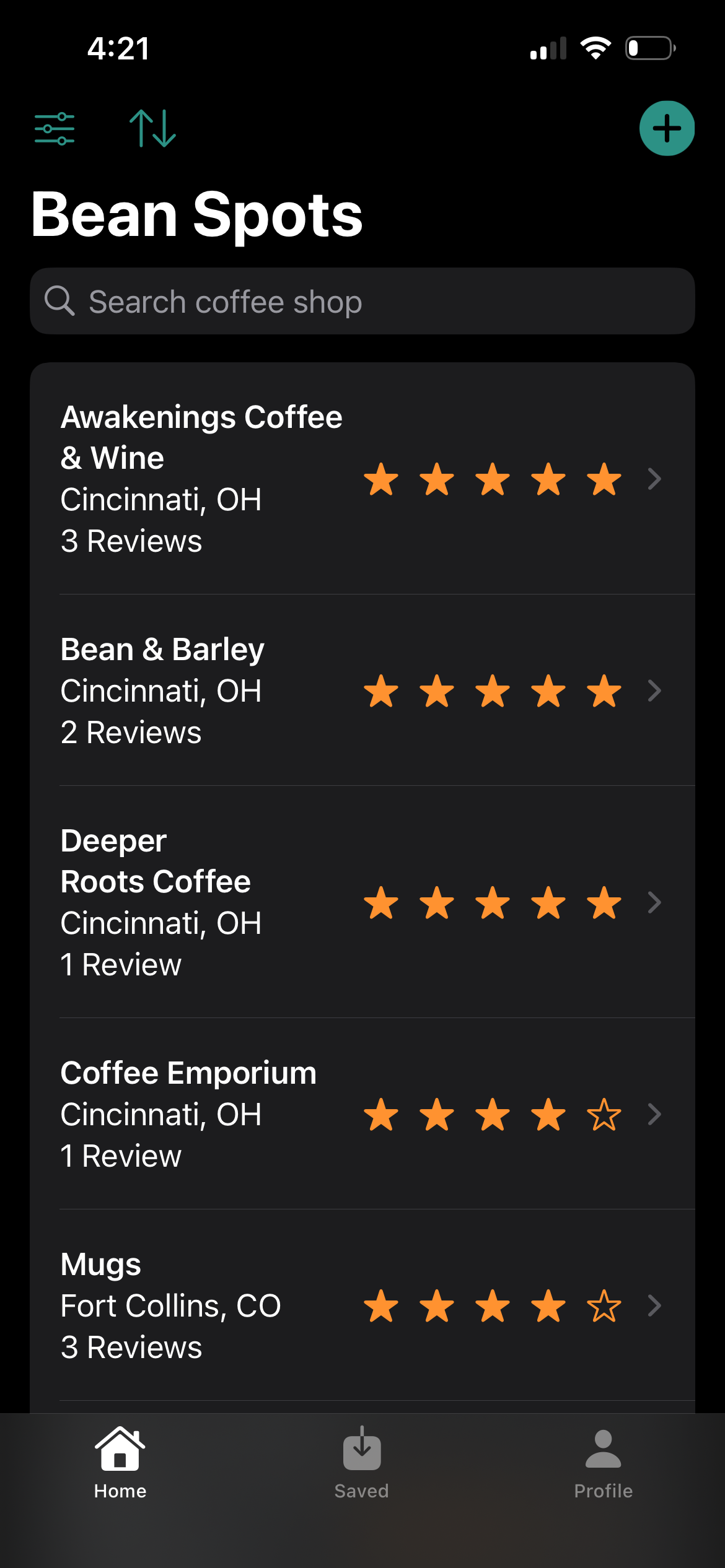
Home screen to search, filter, and sort coffee shops once logged into app
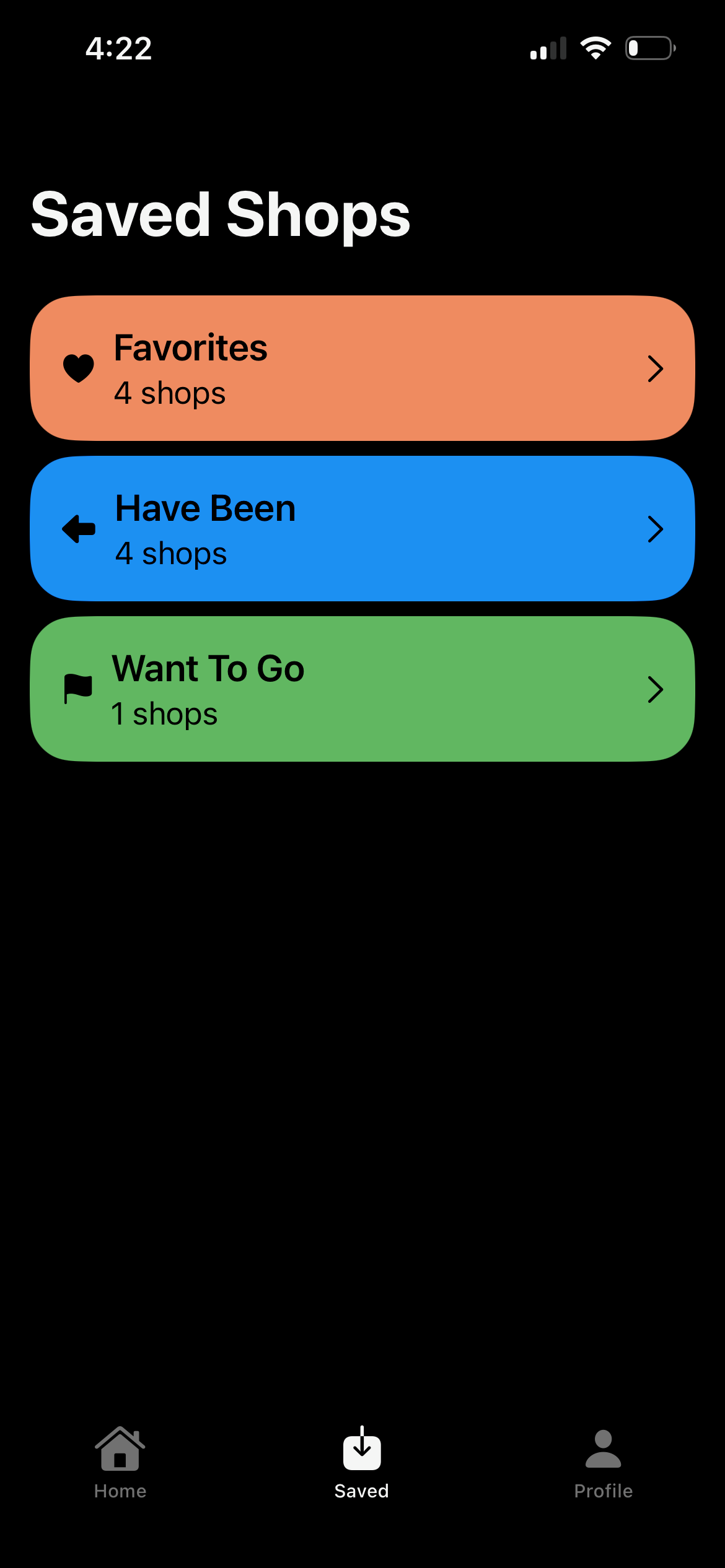
Saved shop view for viewing “favorites”, “have been”, and “want to go” shops
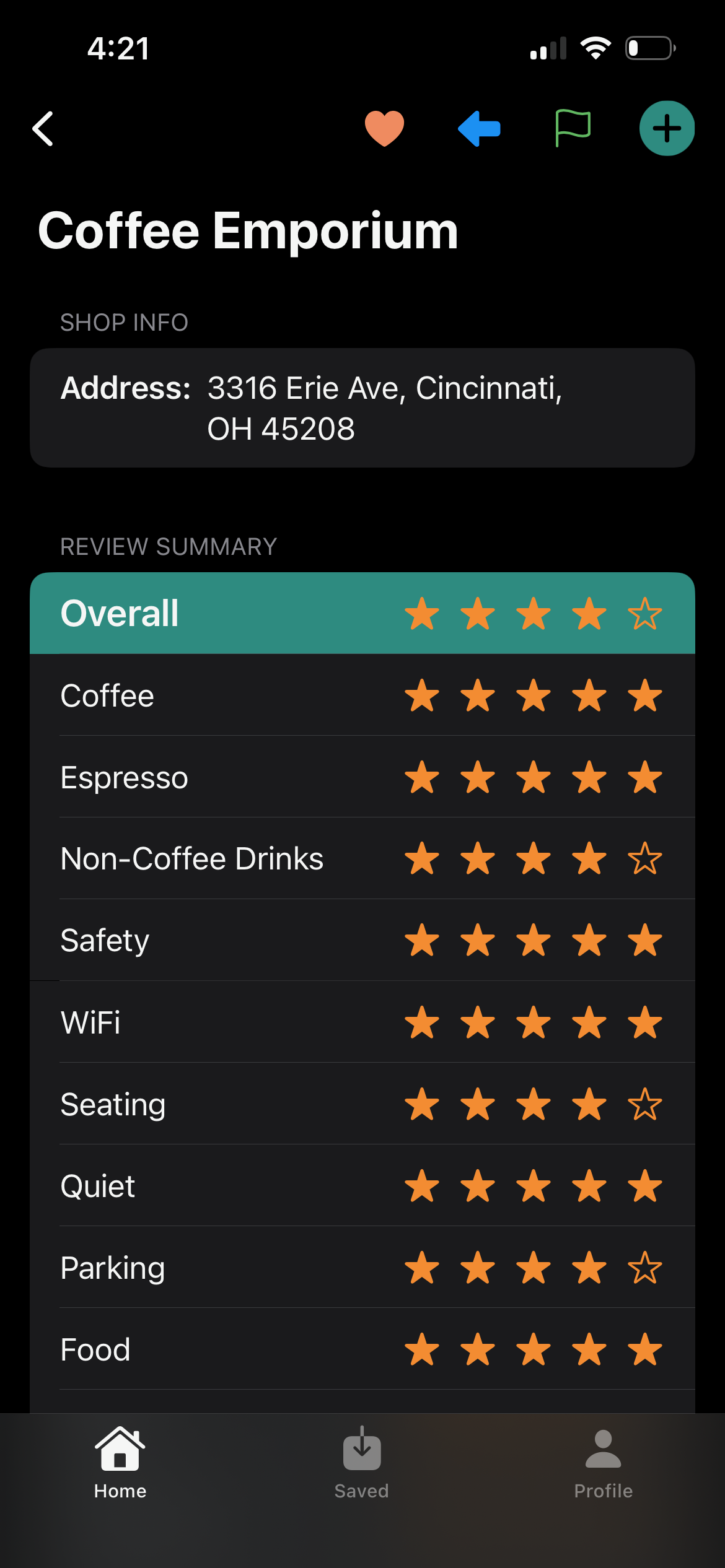
Detail coffee shop view for viewing shop ratings, reviews, and saving shops
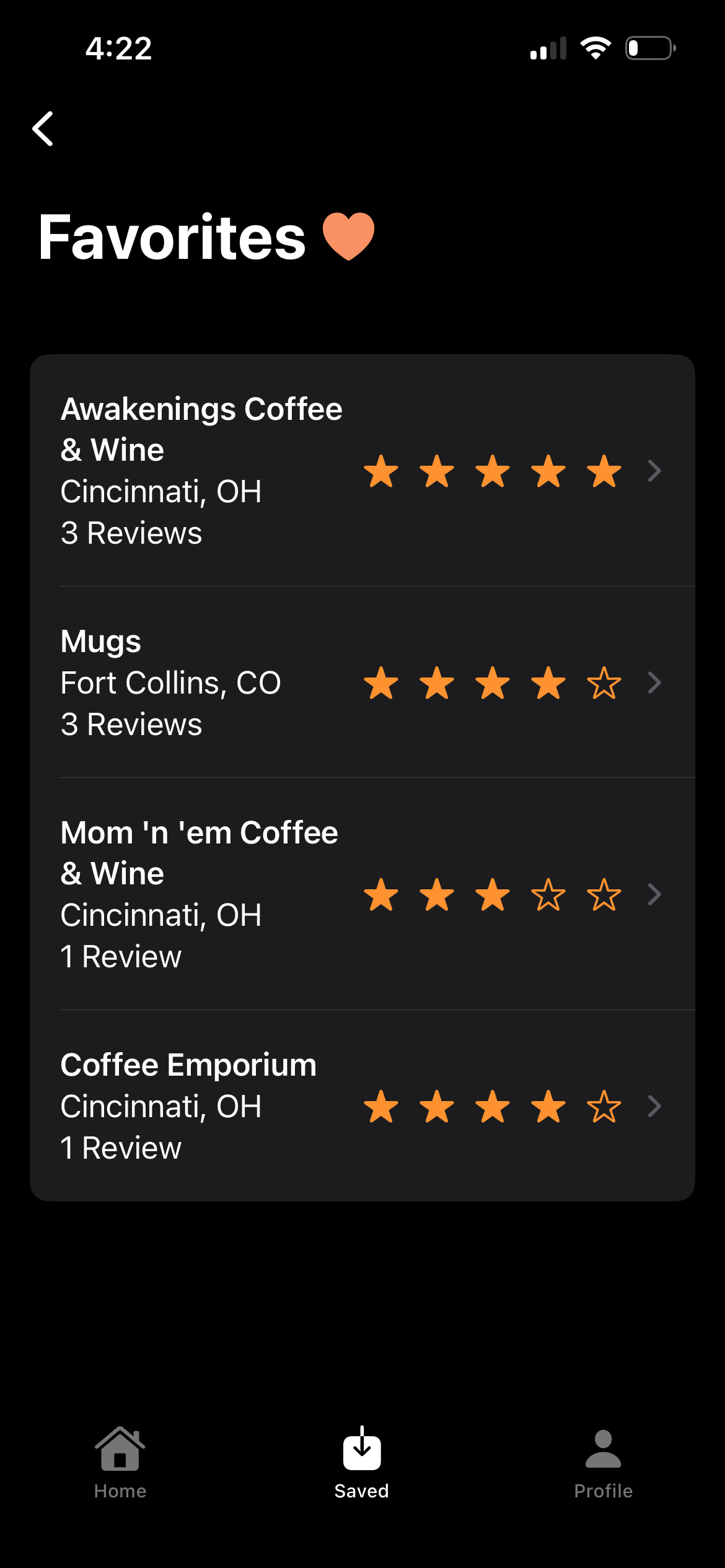
View to see all favorites (can navigate to detail shop views from here)
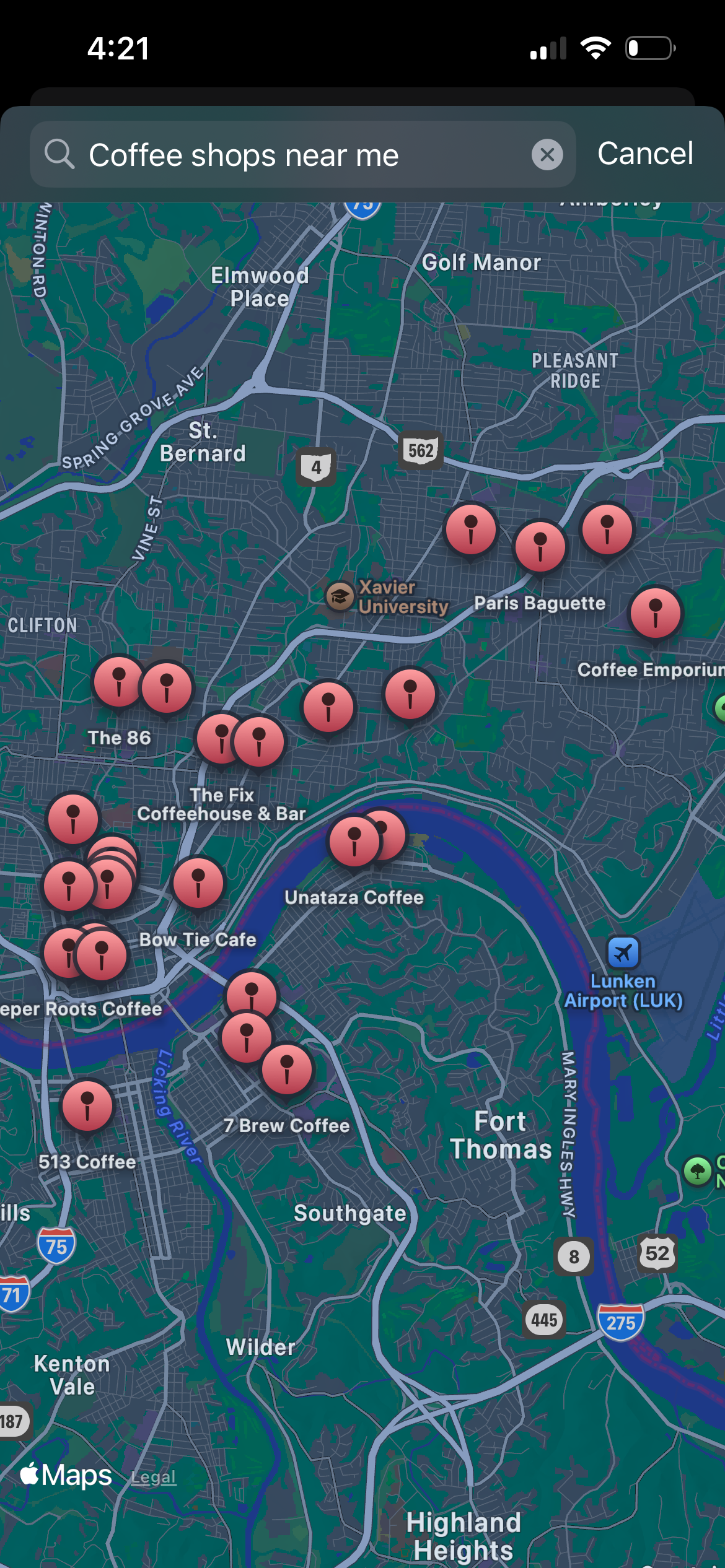
The video (2 min) below showcases the app just before deployment to the app store. Users are able to add new coffee shops from the map view and add reviews, filter and sort shops, save shops, and update their profile. All functionality included in the screenshots above can be viewed in the video below.
TESTING & Deployment
Testing
I uploaded my app to TestFlight, Apple’s dedicated app testing environment for developers prior to new app deployments or major version updates. This allowed me to share my app with friends for feedback as I made final tweaks to my app before my official release to the App Store. Users could download the app to their personal iPhones/iPads and provide individual feedback. This helped me identify a couple minor UI updates to improve the user experience (ex: making the login and sign up views scrollable), and I received awesome suggestions for additional features. I’m excited to build those into the app soon.
Deployment
I am in the process of submitting my app to the app store for final review before it is officially available for download on the App Store. I can’t wait for more coffee enthusiasts to try it out for themselves, join a passionate community, and share their feedback for future enhancements!
STEP 2: Data Model
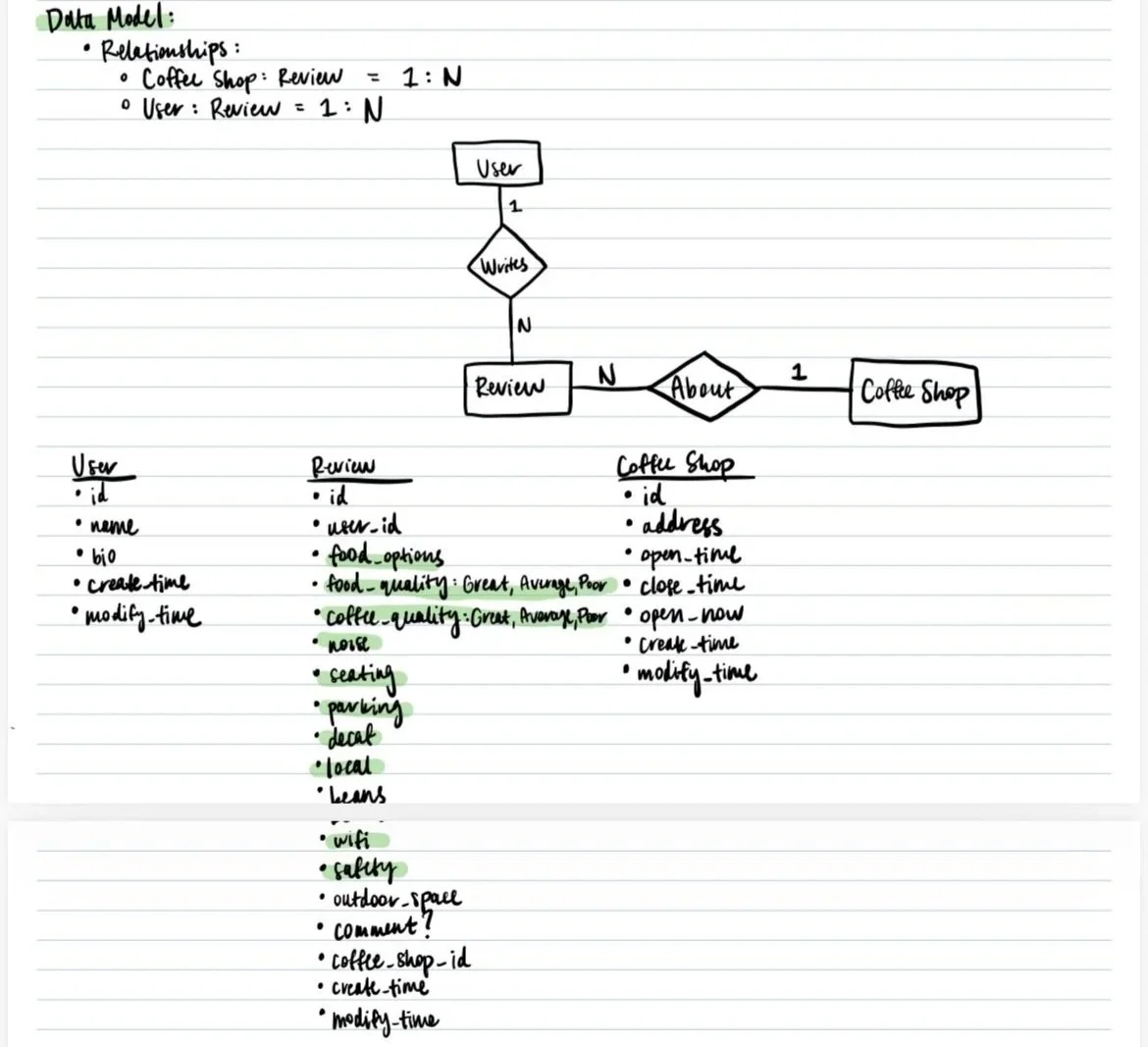
Next, I designed the data model to support the the initial attributes and features I had in mind. I knew I’d new to save users, coffee shops, and reviews as a foundation. I wanted each user to be able to write many reviews, and a single coffee shop to hold many reviews. My plan was to implement the data model locally with Swift Data for simple functionality testing before connecting to Firebase for cloud integration.
UI Screenshots:
Learnings
Test with users early. Early feedback is invaluable to quickly reach an MVP that actually meets core user needs and desires.
A sound data structure is key. Identifying optimal data attribute types/structures for frequently updated data ensures data is quickly sent to and retrieved from the cloud server and model updates are quick and easy.
Design and development are not linear: It’s important to design as thoroughly as possible upfront, but but being able to adapt to new design needs/changes is equally important.
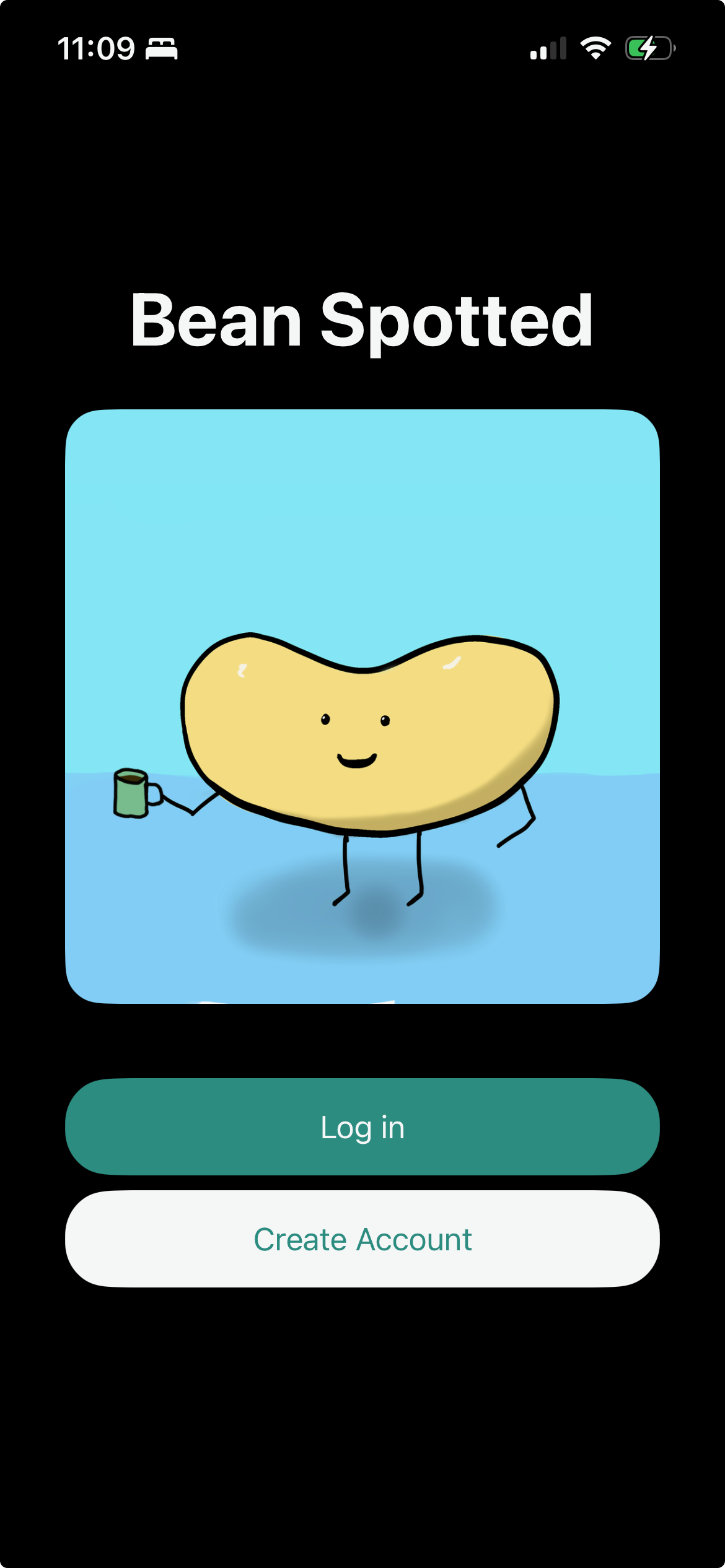
Root view for login or signup
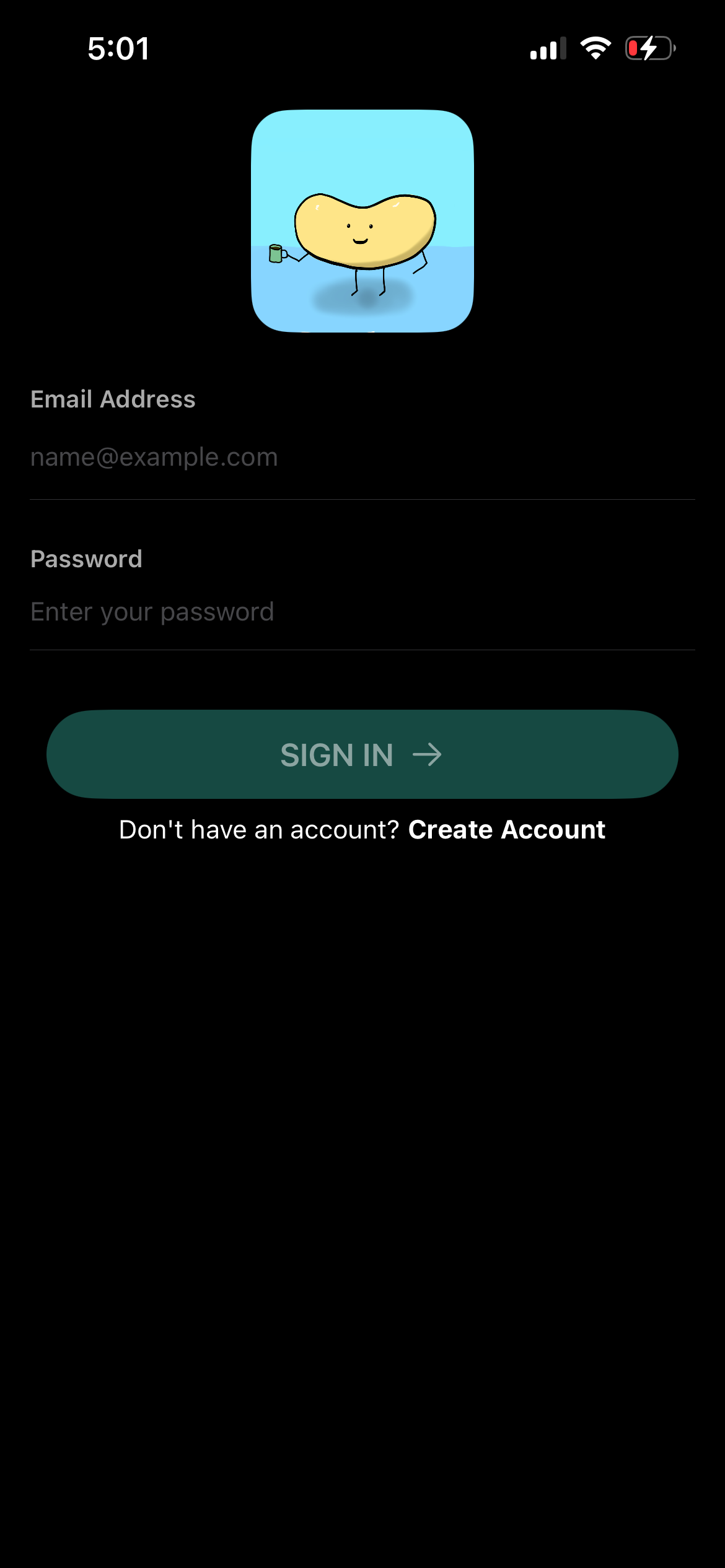
Login view with option to create account for new users

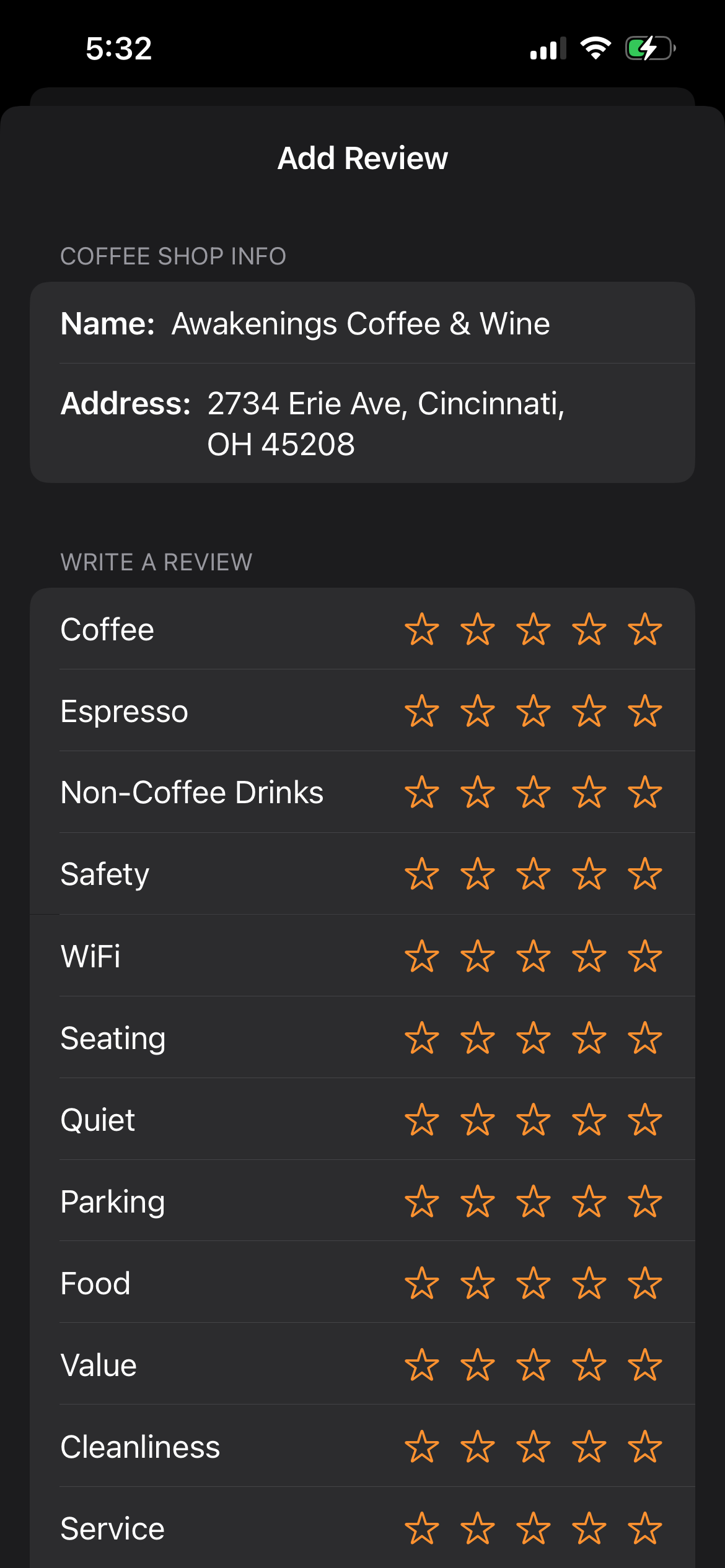
Add coffee shop review view for writing new shop reviews
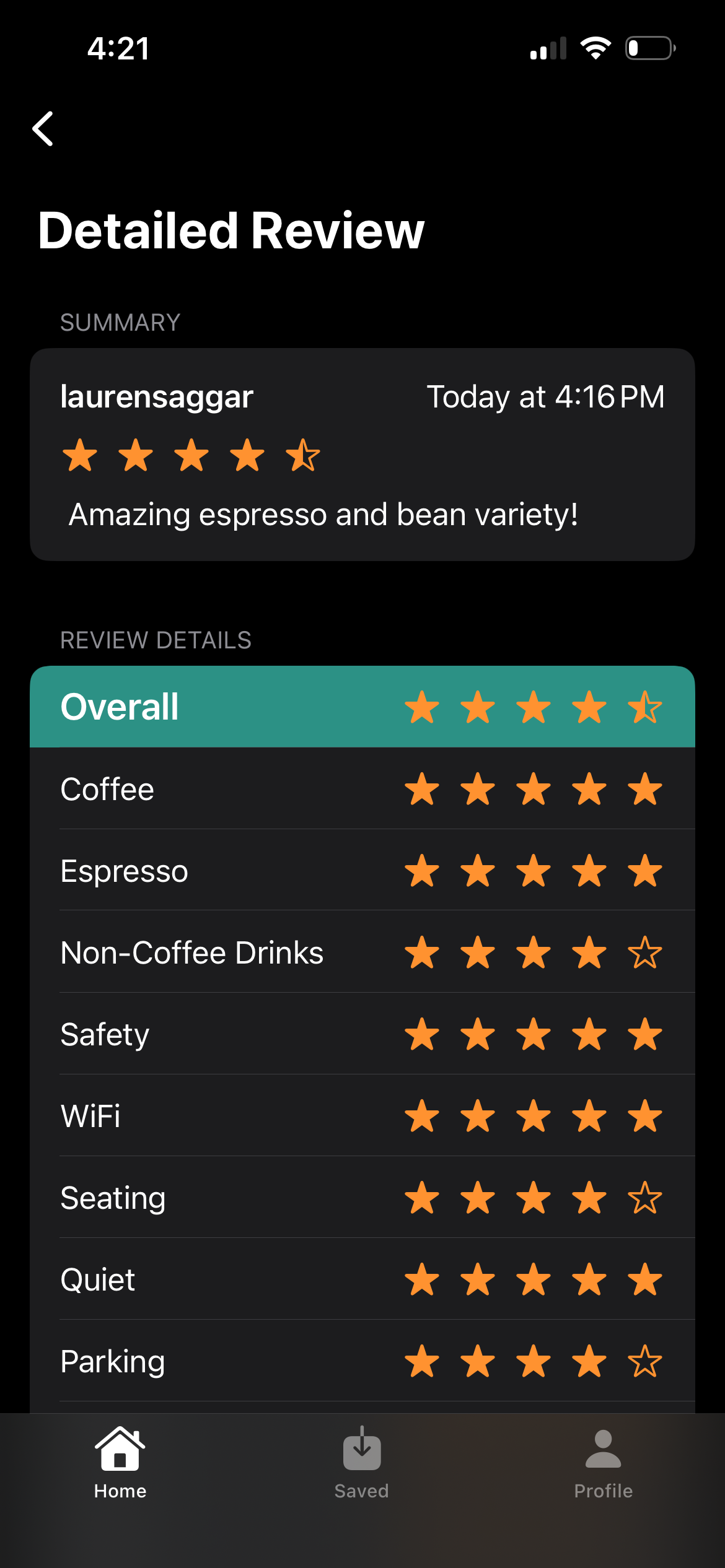
Detailed coffee shop review view when user clicks on specific review
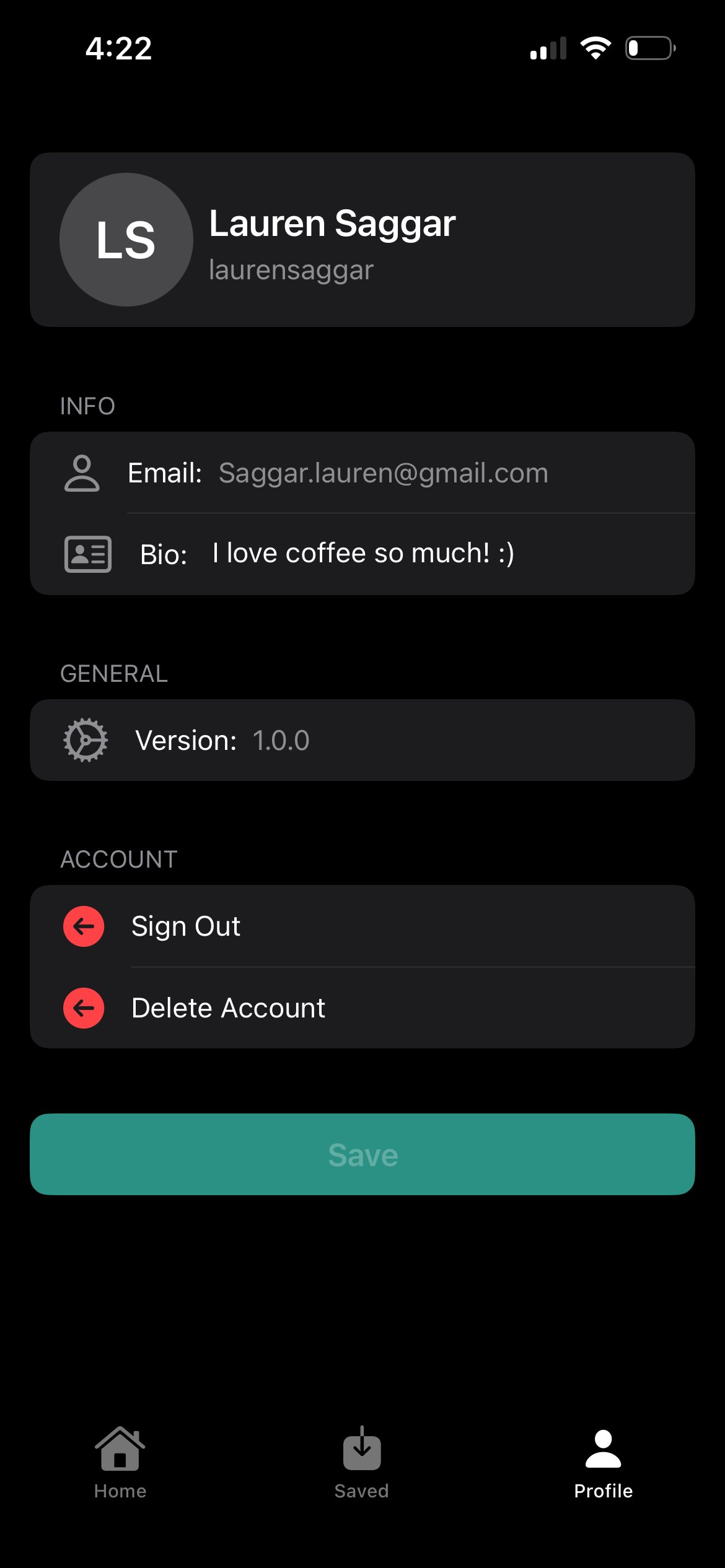
Profile view for viewing personal info, updating bio, signing out + deleting account
Cloud Integration with Firebase
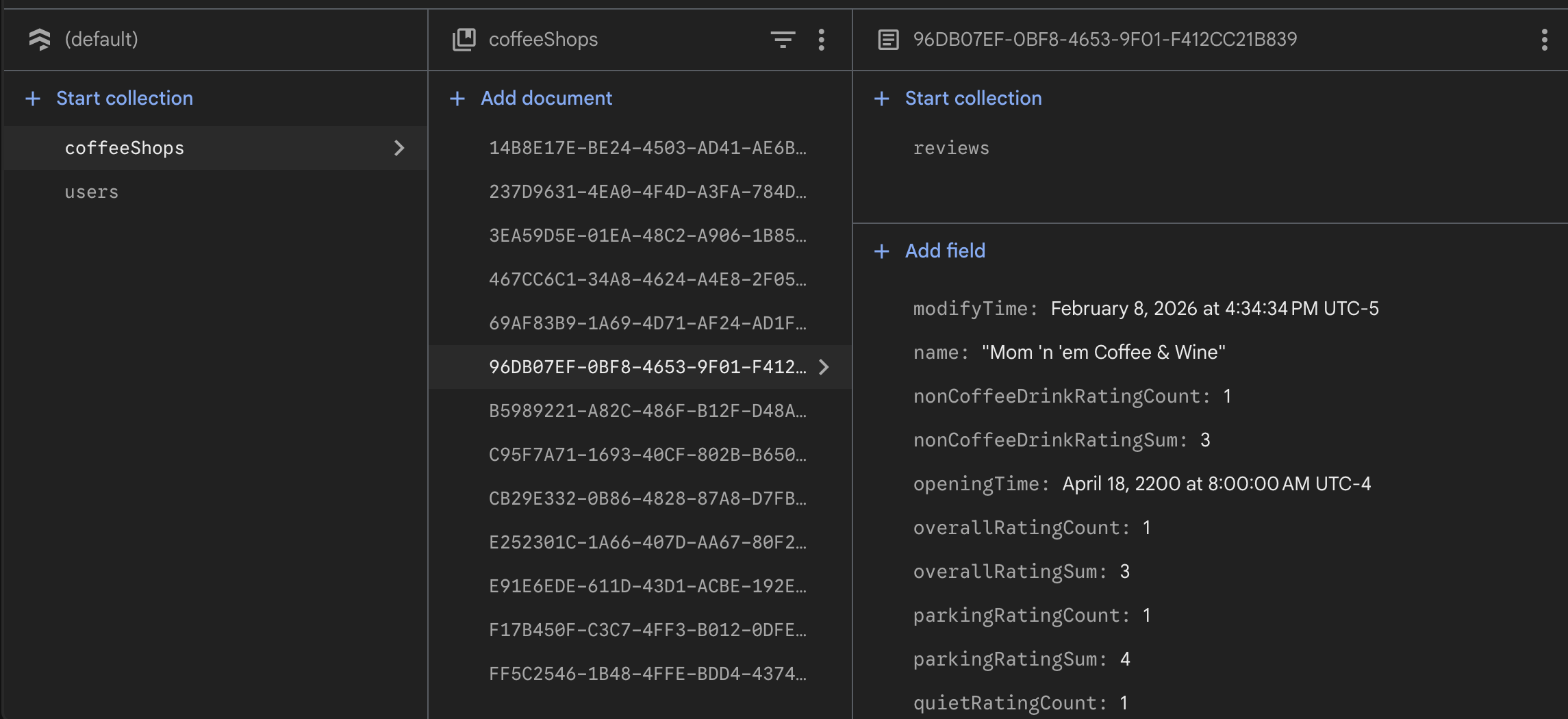
Finally, I integrated the app with firebase to ensure all users were reading from the same cloud database updated in real time, allowing users to see coffee shop reviews written by friends, and eventually, see their friends’ saved shops in near real time. This process required significant changes to my full app structure, as I added unique API call functions every time a user, review, coffee shop, or saved shop is created, read, updated, or deleted. These calls allow the user’s client side application to talk to the firebase server and fetch/write data to the database in real time. Moreover, I implemented a unique cloud connection for user login/signup to ensure secure user authentication.
All of these API call functions are stored in ViewModels inside of XCode, responsible for communication between the UI views and the cloud database. This was my first time connecting a mobile application to a cloud database, offering a tremendous learning opportunity. I am now confident in my abilities to connect future apps to cloud databases.
App Video Demo:
Add coffee shop view for finding / selecting new shops